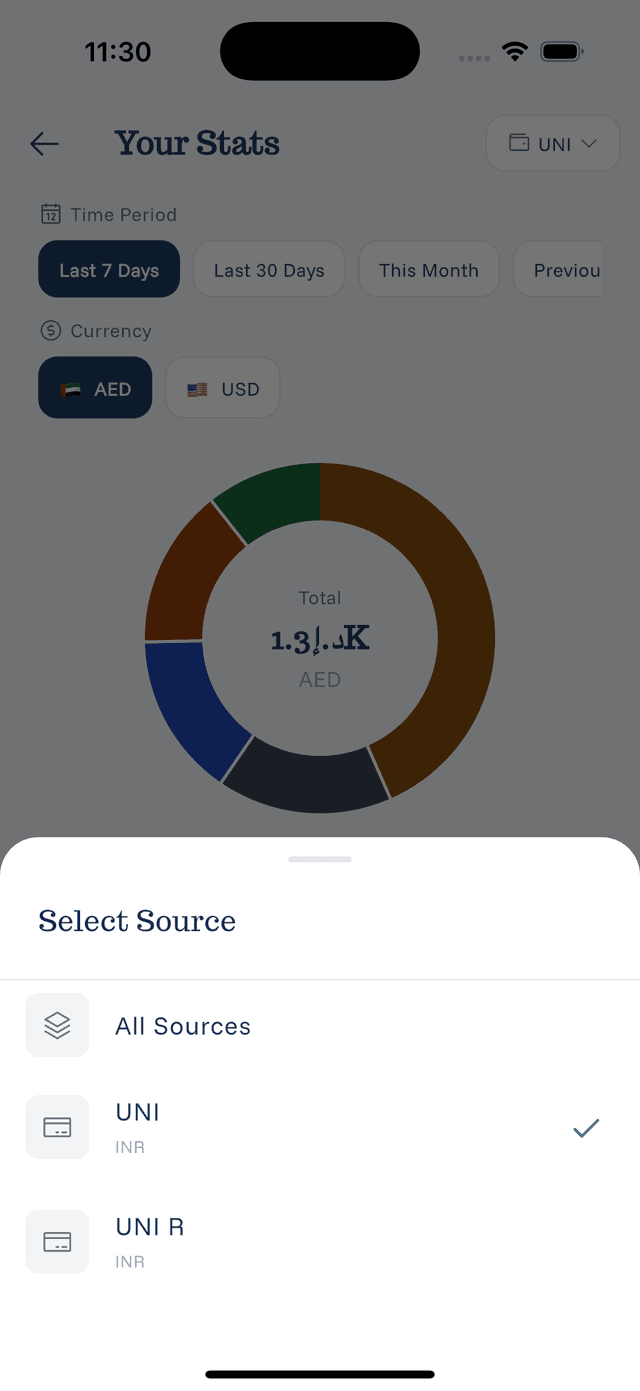
Filtering Statistics by Source
See exactly how much you spend on each card or account.
Why Filter by Source
Filtering by payment source helps you:
- Track credit card spending
- Monitor specific account usage
- Reconcile with bank statements
- Set card-specific budgets
How to Filter
- Open Statistics
- Tap the Filter or Source selector
- Choose one or more payment sources
- View filtered statistics
What You'll See
When filtered by source:
- Total spending for that source
- Category breakdown for that source only
- Time-based trends for that source
Use Cases
Credit Card Tracking:
- See total charged to a card
- Prepare for statement payment
- Catch unexpected charges
Account Reconciliation:
- Match expenses to bank statement
- Verify all transactions logged
- Identify missing entries
Spending Analysis:
- Compare card usage
- See which account you use most
- Decide on rewards optimization
Combining Filters
You can often combine source filter with:
- Date range
- Category
- Currency
This gives you very specific insights like "How much did I spend on dining out last month using my Amex?"